Usage Counts
What are usage counts?
There are two forms of usage counts:
- Learners
- Registrations
Learners are counted by including any unique User ID (or Learner) collected via any Service that launches a course from Content Controller, regardless of the number of visits or courses launched. This number will be recorded in a database table within Content Controller.
Registrations are similar to learners, but are unique to courses. The first launch of a course by a learner acts as a unique registration. A single learner can have multiple registrations if they have launched multiple courses. This number will be recorded in a database table within Content Controller.
How to view your counts
There are two ways to find and view your counts. Please note that Learner and Registration counts are located on separate pages.
Detailed View
- Click on the Gear icon in the upper right to expand the menu
- Select Administration
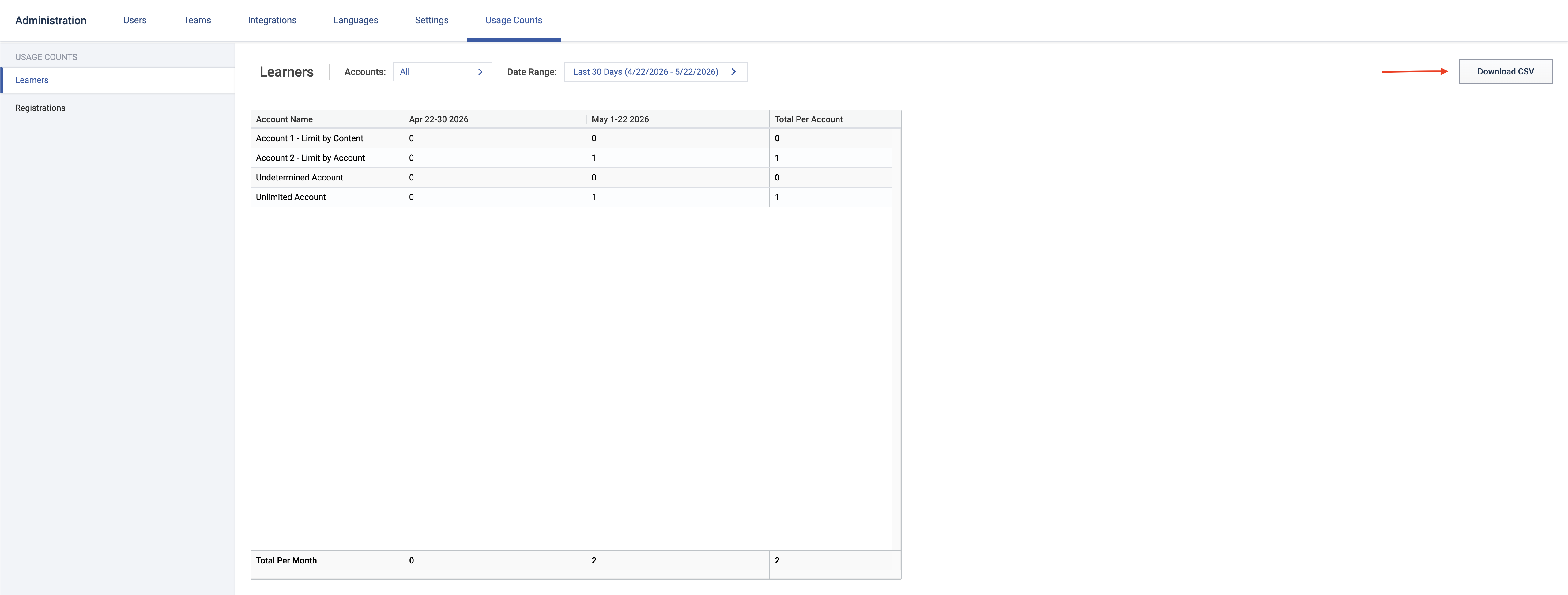
- In the Administration Navbar, select Usage Counts. You will automatically land on the Learner Counts page.
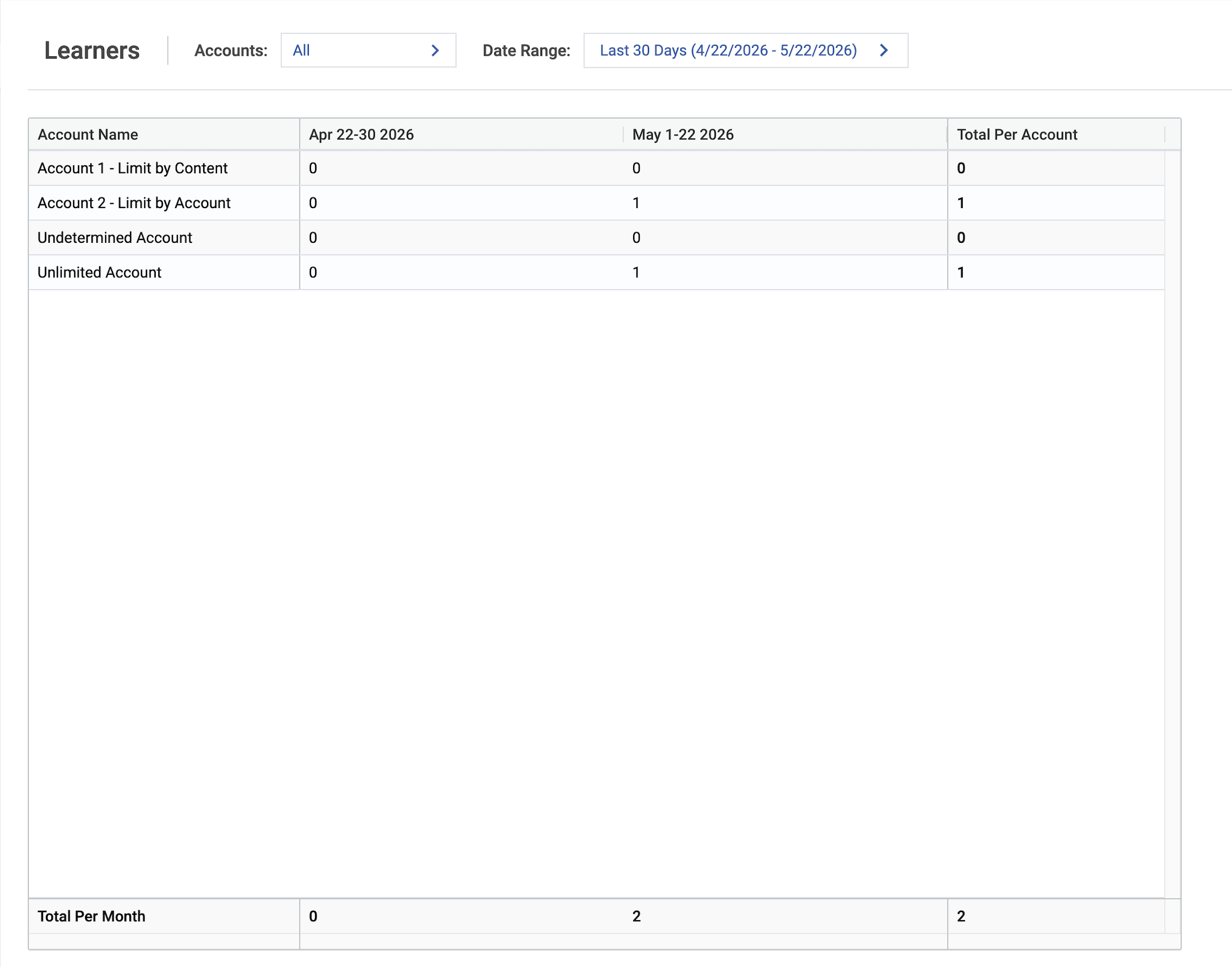
The page initially fills with the counts for all accounts, filtered to the last 30 days of history. You can select individual accounts by clicking the Accounts dropdown. You can modify the range of counts by clicking and selecting new dates in the Date Range dropdown.
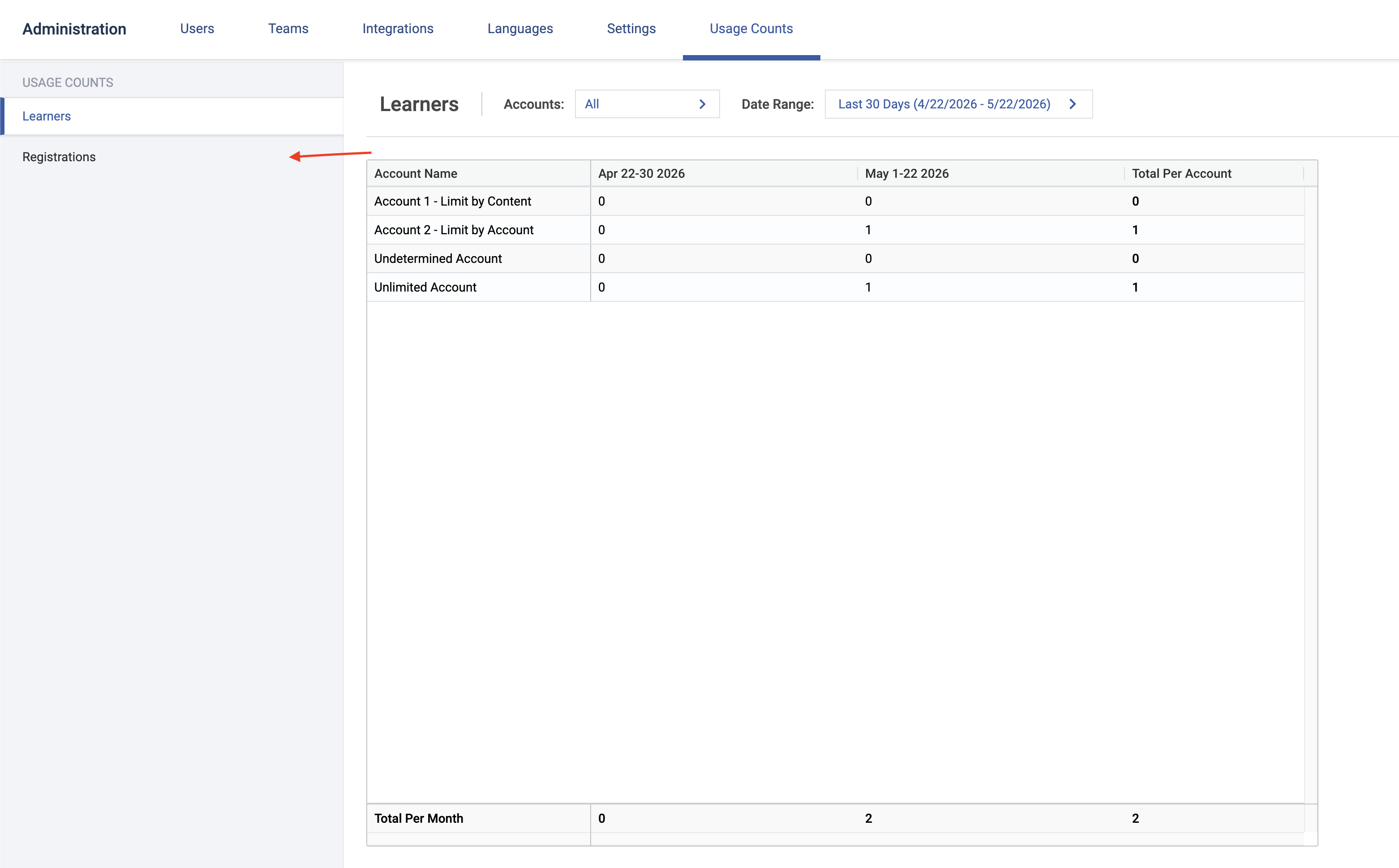
To view Registration Counts, click Registrations in the lefthand sidebar.
CSV Export
You can also export your usage counts. After filtering the page to your liking, click the Download CSV button to the upper right of the page. This will start the CSV download.