Deleting a course
🚨
Warning: Deleting a course in Content Controller is permanent.
Not only does deleting a course remove it from Content Controller, but it also deletes all of the data/reports associated with that course.
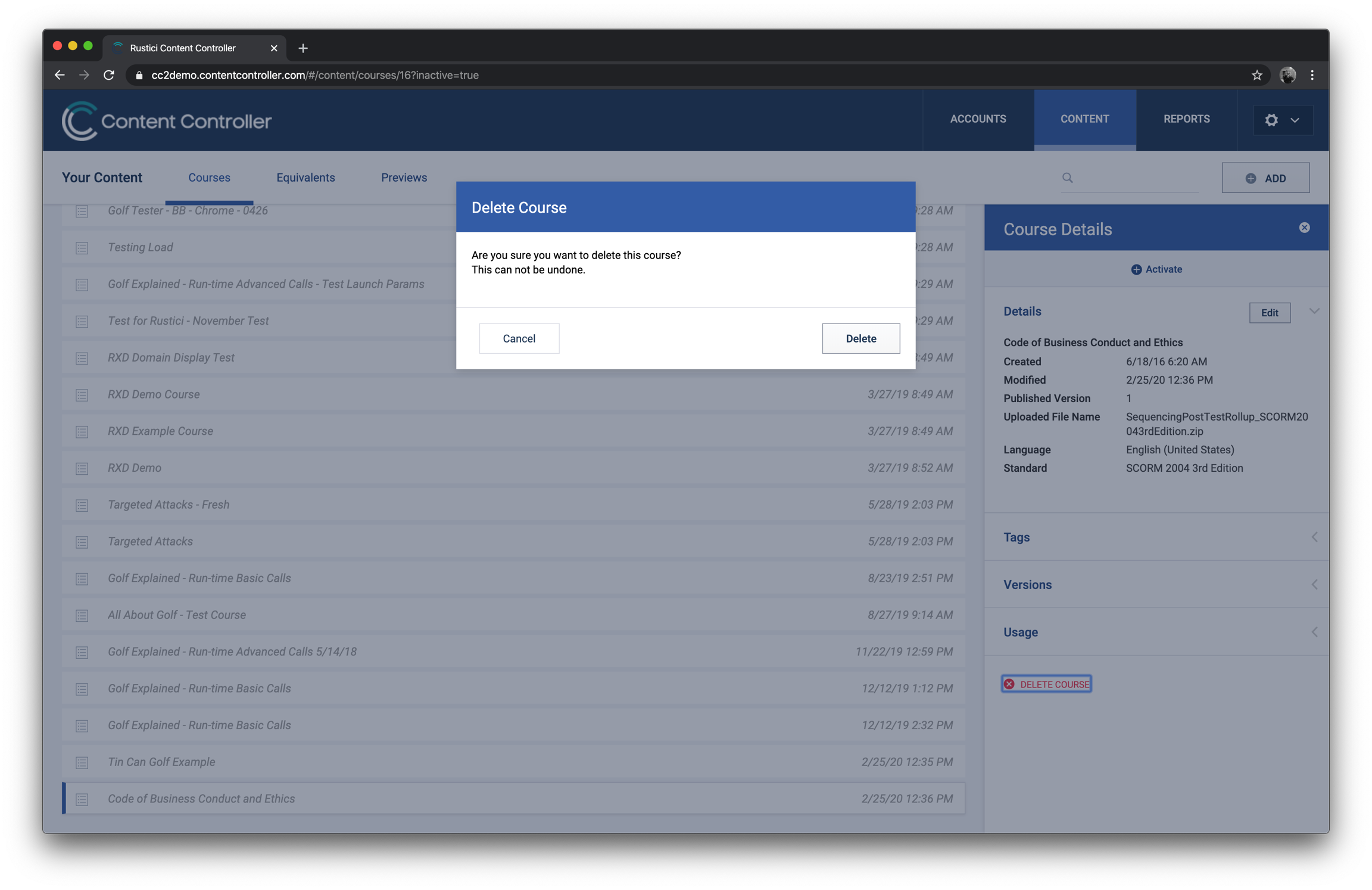
How to delete a course
If you really, really need to delete a course, here’s how:
- You must first deactivate the course. Open the course’s Details panel and click Deactivate in the top right.
- Change the view in Courses from Active to Inactive using the drop-down on the right side of your screen.
- Find the course you’d like to delete in the list of Inactive courses and click on it to open up the Course Details panel.
- At the bottom of Course Details is a red DELETE COURSE button. Once you click it, you’ll be presented with one more dialog to confirm that you’d like to delete this course.
- Click Delete to remove your course—as well as all included data generated from that course—from Content Controller.