Approved users
Access Control
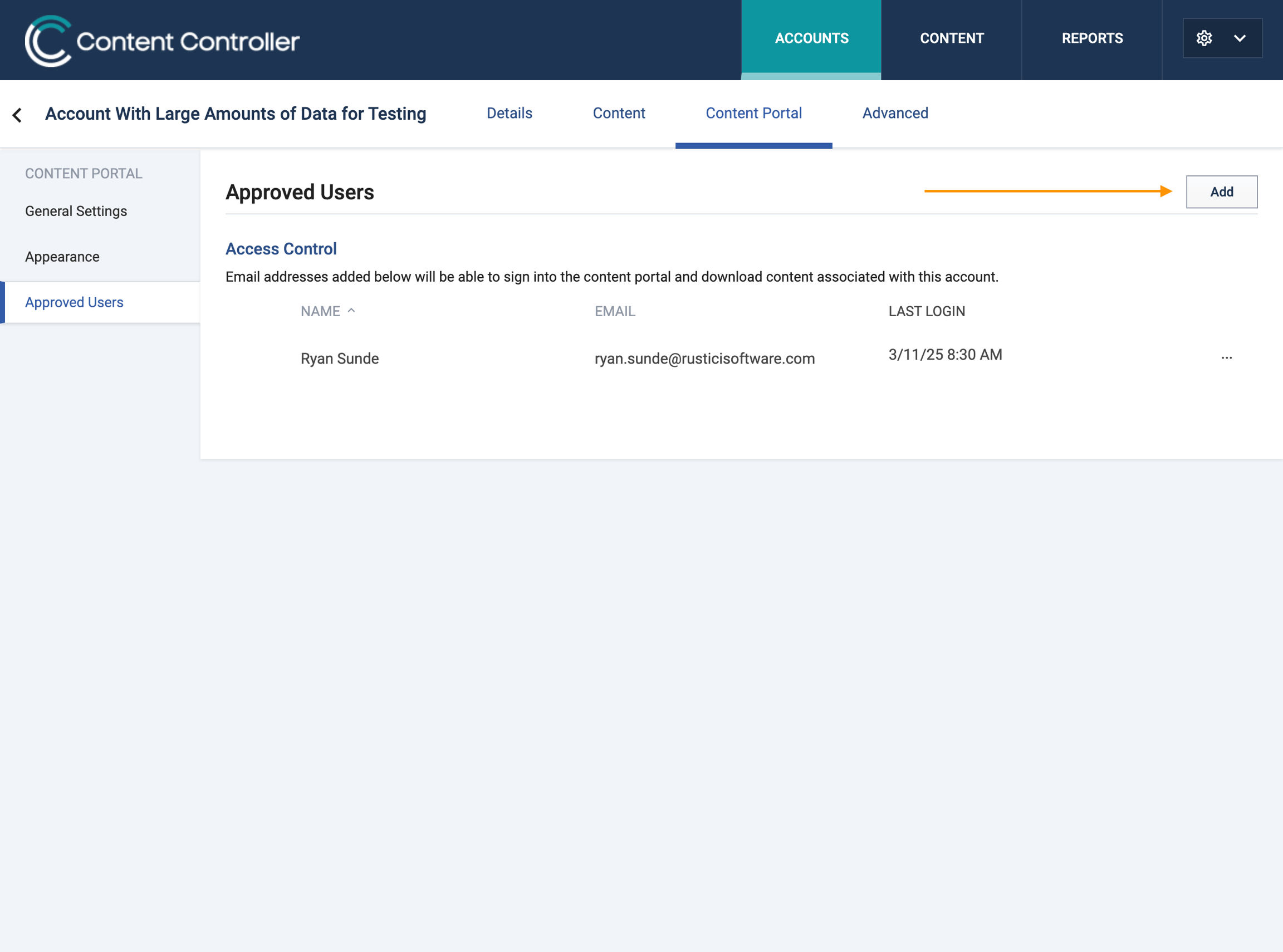
The Approved users access control section is where external users may be added to an accounts Content Portal. Follow these steps:
- Navigate to the Content Portal section under a given account
- Select Approved Users from the left navigation menu
- Click Add
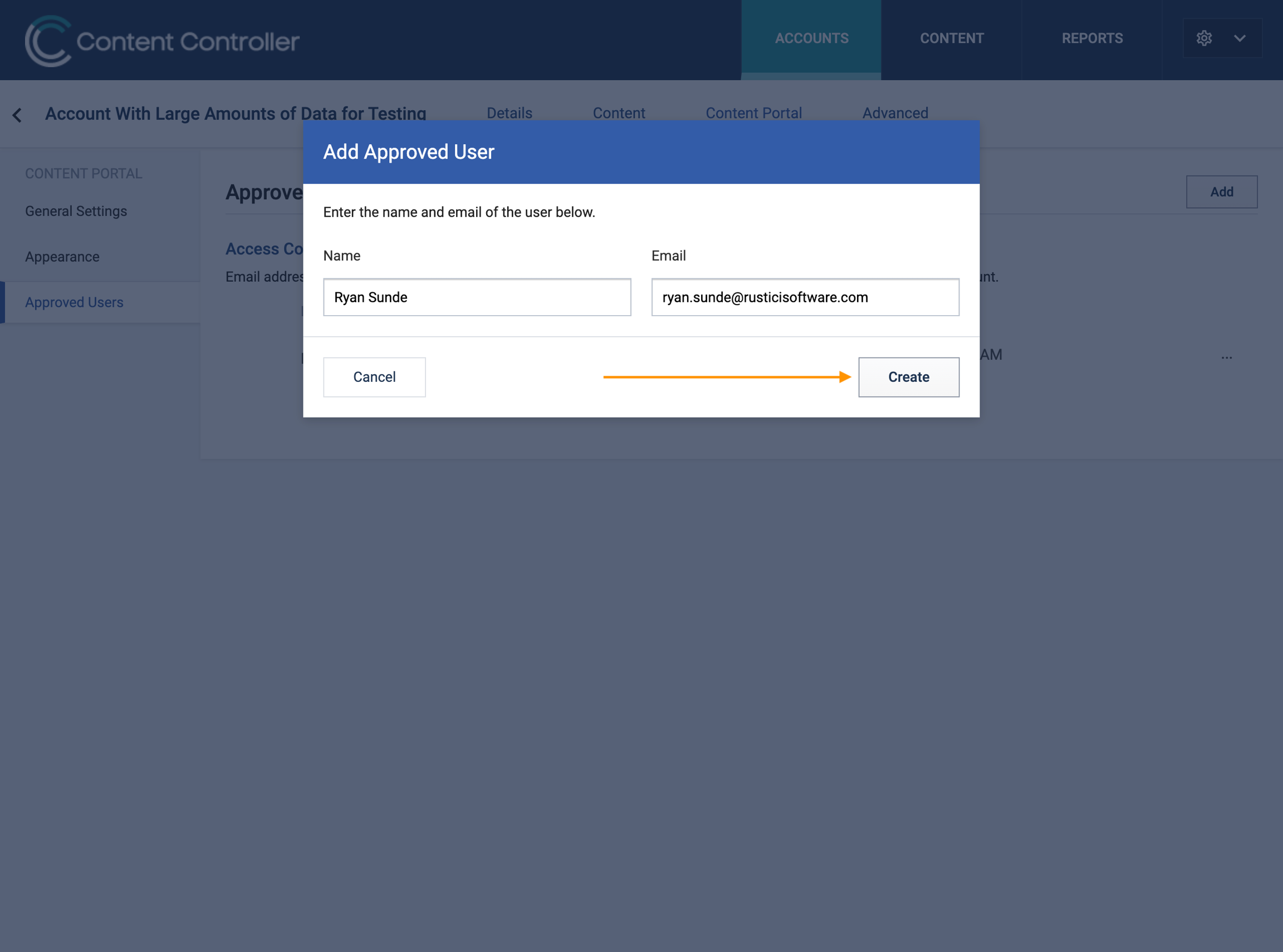
- Enter Name and Email in the pop up
- Click Create
That user will now be able to access that specific account’s Content Portal.
ℹ️
Note that the user will NOT receive any form of a welcome email and it will be up to you to communicate with them.
Editing, lock or delete users
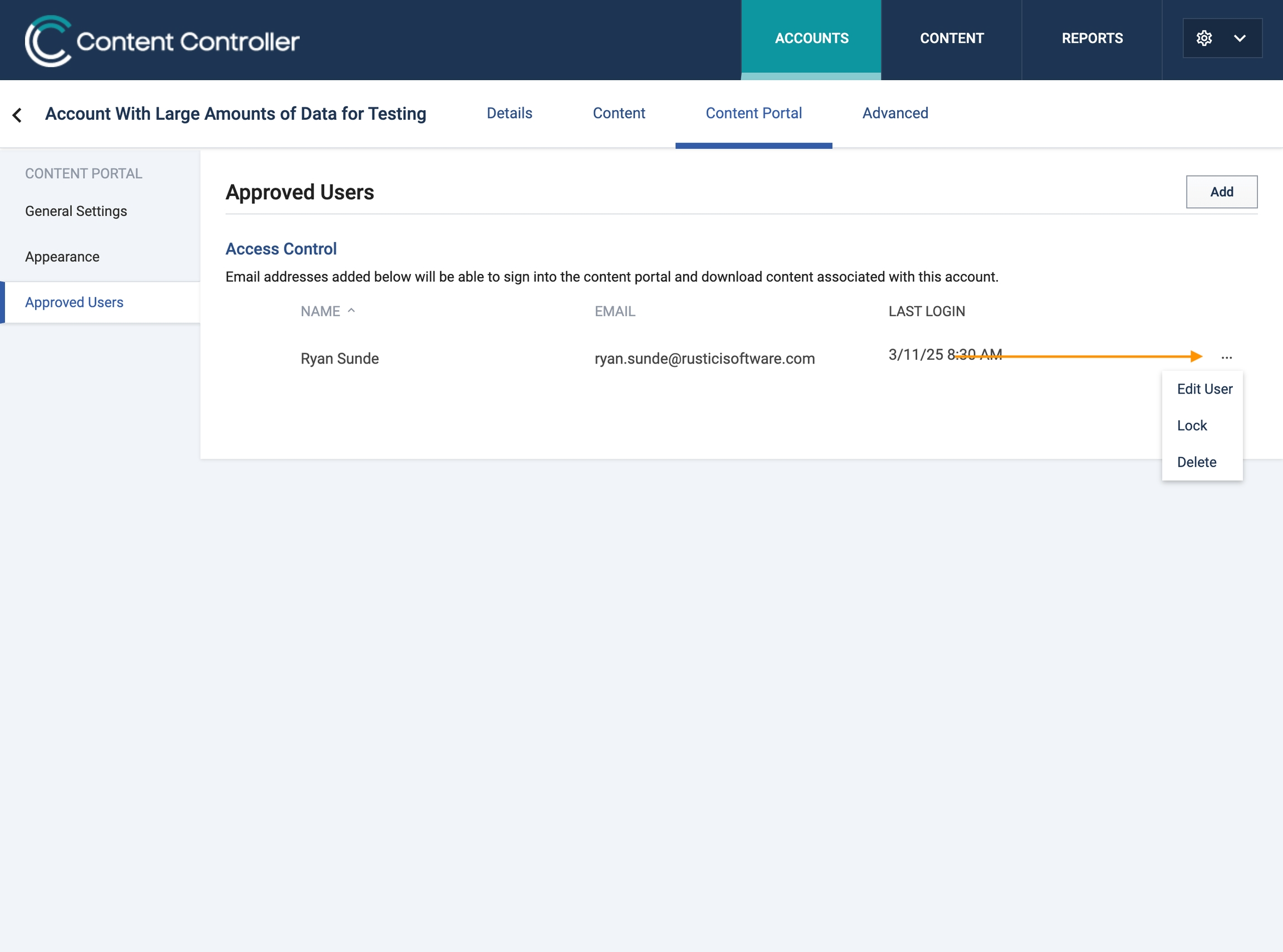
To adjust a users information such as name or email, lock them or delete them from a portal. Click on the three dots next to the users name and select accordingly.
ℹ️
Locking a user will prevent them from logging into the portal.